
This article was written in collaboration with the CPF Board. All views expressed in this article are the independent opinion of DollarsAndSense.sg based on our research, are purely for informational purposes, and should not be relied upon as financial advice. DollarsAndSense.sg is not liable for any financial losses that may arise from any transactions, and readers are encouraged to do their own due diligence. You can view our full editorial policy here.
Watching our parents grow older also means watching out for them in new ways. These days, that often includes helping them navigate a digital world that can sometimes be confusing and, unfortunately, dangerous. Often, adult children may also be people they turn to for help to be the informal checker with unfamiliar digital devices, services or suspicious messages.
The hardest part about scams is how quickly they happen. In just a few moments, someone pretending to be a bank officer or government official can convince an unsuspecting senior to make a transaction involving not just their bank accounts, but even their CPF savings.
To provide CPF members with an additional layer of support to guard against any unauthorised transactions, the CPF Board has introduced the Trusted Contact notification service. This allows members to appoint someone they trust to receive copies of notifications for important CPF transactions.
That’s why my dad recently chose to appoint me as his CPF Trusted Contact. To me, it’s more than just receiving notifications—it’s another way I can help look out for them, even when I’m not physically with them. Sometimes, all it takes is a second pair of eyes to notice that something isn’t right.
What Does Being A CPF Trusted Contact Involve?
As my dad’s Trusted Contact, I play a role in helping to protect him from potential scams. I will receive a copy of the notifications sent to my father whenever they make a CPF lump-sum withdrawal for immediate retirement needs, updates to his contact details, changes to his registered bank account or adjustments to his Daily Withdrawal Limit.
According to this FAQ, I am encouraged to check with my dad (the appointer) to confirm he made the transaction. By monitoring these notifications, I can help to spot and alert him to any suspicious activities in his CPF account that may not be performed by him.
Note: By being a Trusted Contact, it does not allow me to log in to his CPF account, view his balances, perform transactions or act on his behalf.
You Too Can Choose A Person You Trust
To appoint a Trusted Contact, the first step is to choose someone you trust. Ideally, this should also be someone who checks their messages regularly and can alert you to unusual activity.
My dad could have appointed my mum, but chose me instead. As the one who’s more comfortable with technology, I’m more likely to notice if something unusual happens and can quickly check in with him. Being his Trusted Contact is simply another way our family looks out for one another, providing an extra pair of eyes and greater peace of mind.
A Trusted Contact serves as a second pair of eyes by receiving copies of selected CPF notifications and keeping a lookout for unusual activity. While they are not responsible for preventing scams, their involvement provides an additional layer of protection.
Once you have the person in mind, ask whether they are willing to be your Trusted Contact. Make sure they understand the responsibility that comes with being your Trusted Contact.
You can add your Trusted Contact through the CPF website. The person whom you appoint will receive a notification and must accept the request within seven days. The appointment takes effect only after they accept.
Each CPF member can appoint up to two Trusted Contacts.
How To Add Your Trusted Contact
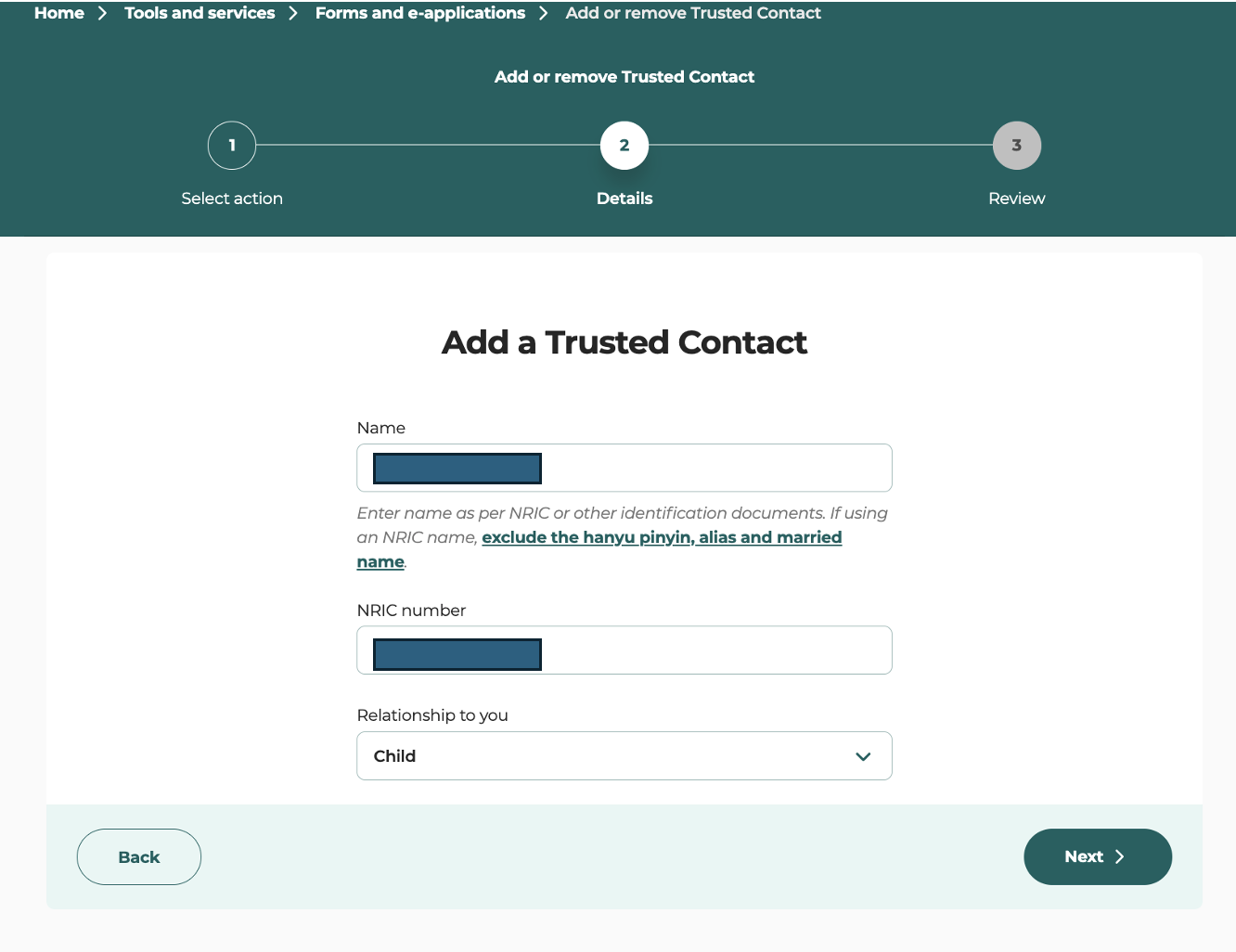
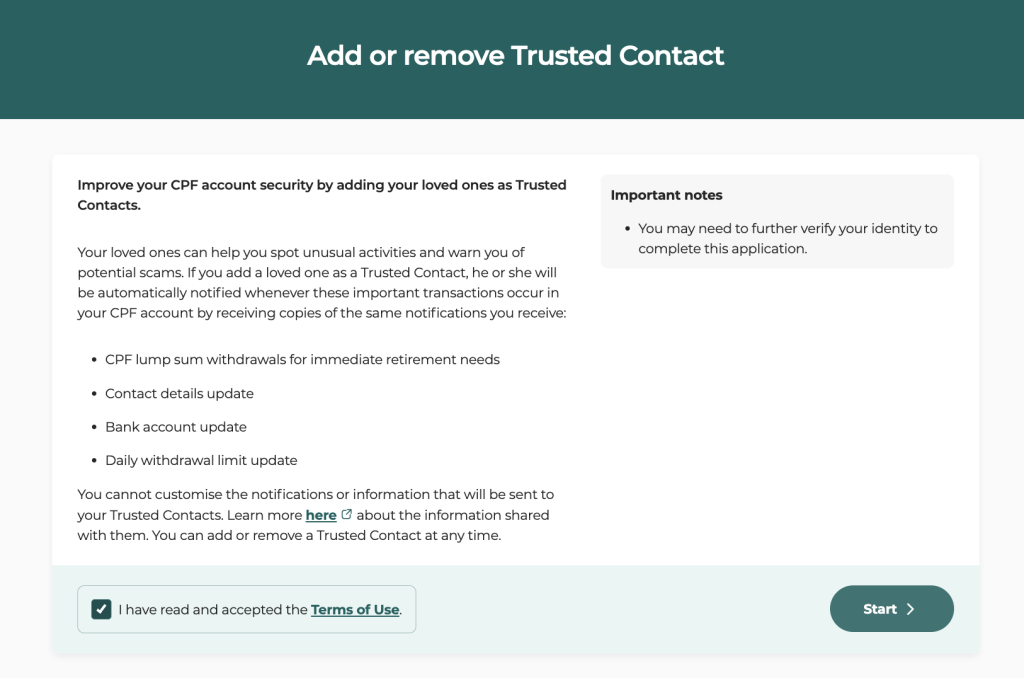
To add a Trusted Contact, you can go to the Trusted Contact page on the CPF website via my cpf digital services – Account settings. Use your Singpass to login.
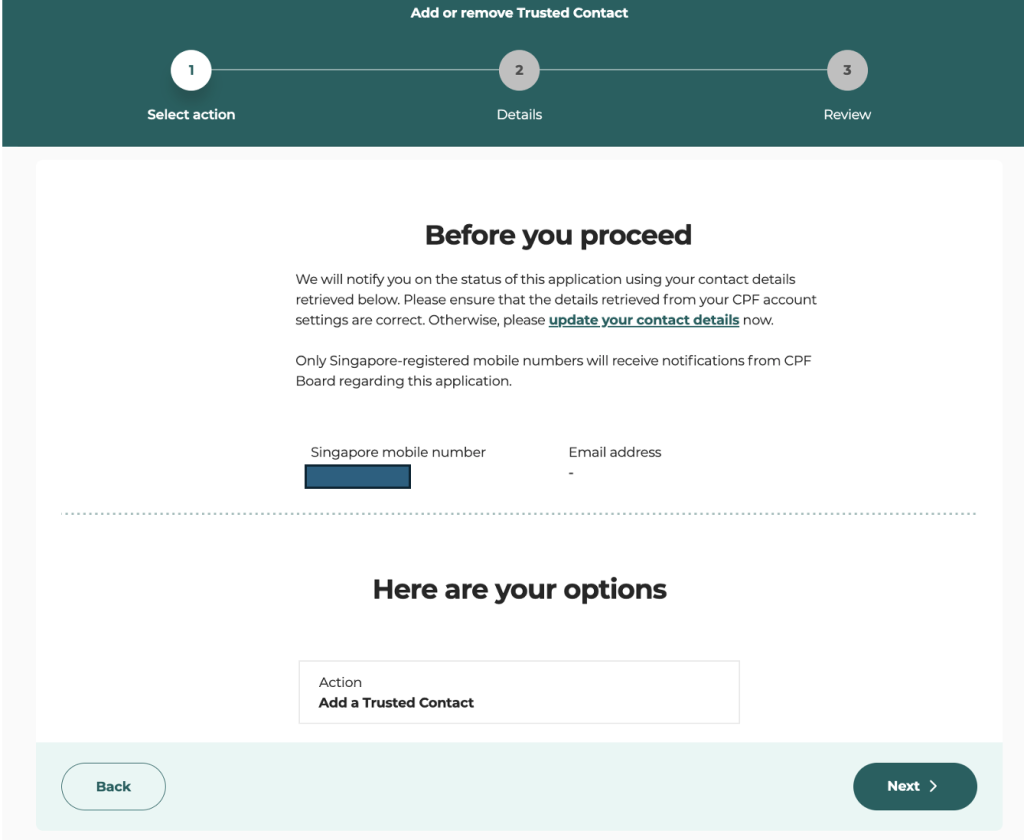
Next, check that your contact details are up to date. While setting everything up, we discovered that my dad’s registered mobile number was one he had stopped using nearly 15 years ago. It was a good reminder that, over the years, small details like these can easily be forgotten! But keeping them updated is important, especially when they are needed to protect your CPF account.
Next, add the Trusted Contact.
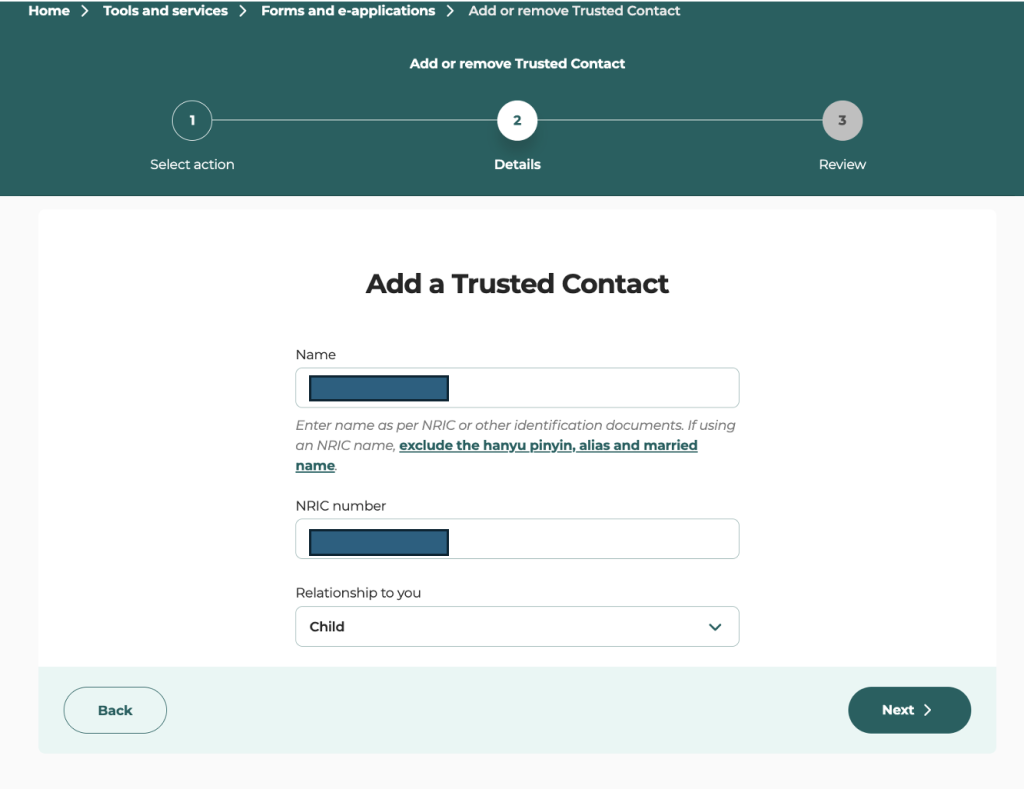
After reviewing and submitting the information, enhanced authentication may be required.
Once submitted, you will receive an acknowledgement. This completes part of the process, but the appointment is not yet final.
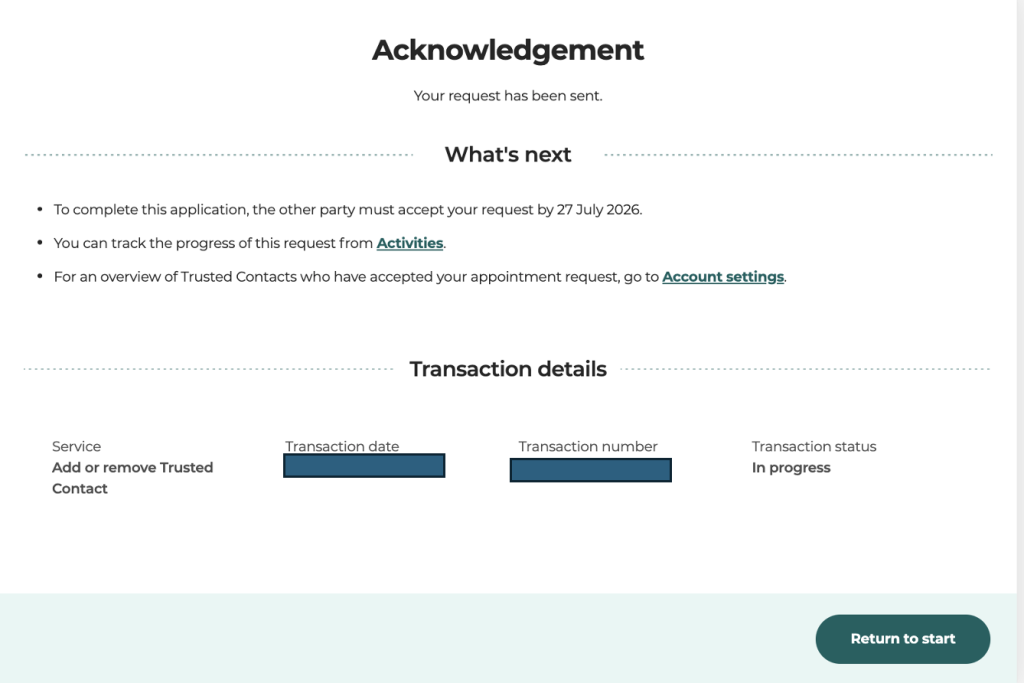
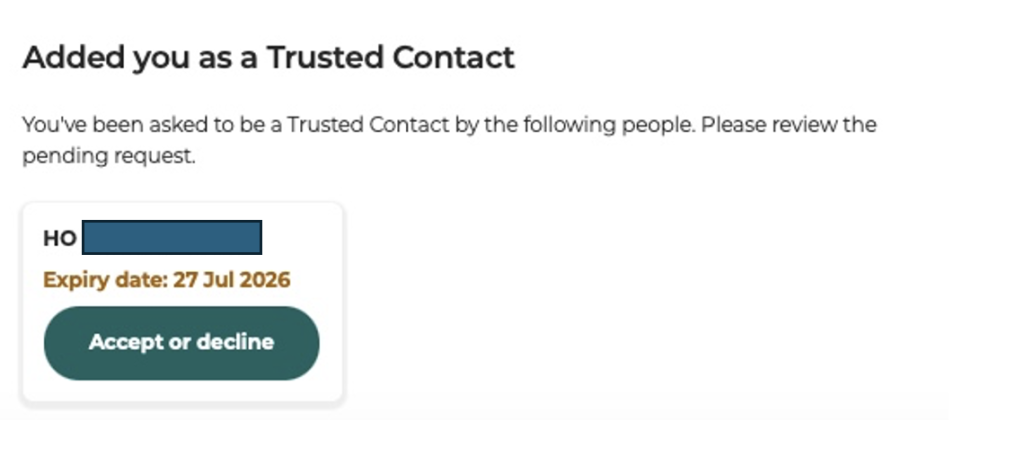
The appointed Trusted Contact will see the request and has to accept their appointment within seven days.
In this case, since I am the Trusted Contact appointed by my dad, I will be able to see the request when I login to the CPF website using my Singpass.
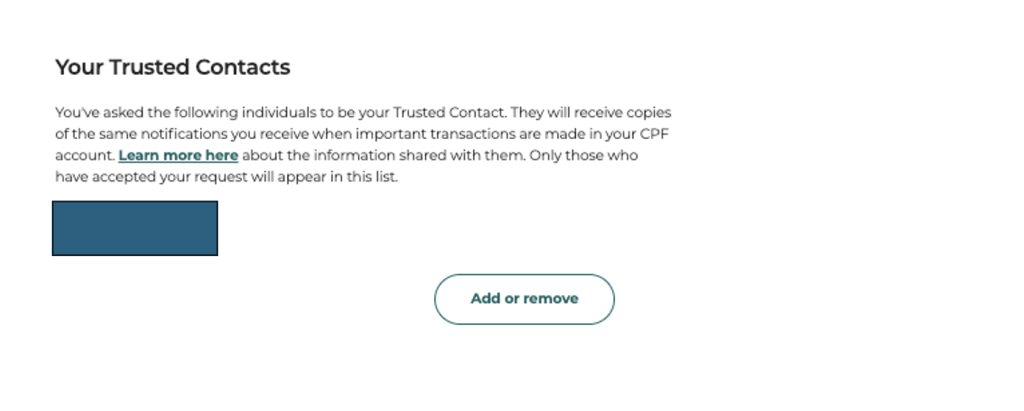
Once the Trusted Contact have accepted the appointment, you will be notified of their acceptance. You can also view it on your CPF account under digital services.
A Trusted Contact Provides An Additional Layer Of Protection, Not Complete Protection
For example, if I receive a notification that my dad has changed his Daily Withdrawal Limit without mentioning it beforehand, I can give him a quick call to check whether the change was intentional. If it wasn’t, we can take action quickly before any further unauthorised transactions take place.
Of course, appointing a Trusted Contact isn’t a guarantee against scams. Rather, similar to the role of a smoke detector, it can’t stop a fire from starting, but it can give you an additional pair of eyes to keep a look out when something may be wrong. In the same way, a Trusted Contact creates one more opportunity for someone who cares about you to notice something unusual and step in before it’s too late. For many families, that extra chance could make all the difference.
Read Also: Trusted Contacts & Safety Switch: How The Two New CPF Anti-Scam Security Measures Work


Street Smart
Singapore Gym Membership Price Guide (2026 Edition)


