


Retirement planning is an important, ongoing process that everyone should set aside time for, ideally with a professional financial advisor. However, if you are not well informed about your financial situation and your retirement income options, any retirement planning discussion can feel intimidating. That is where retirement planning tools come in. These are typically calculators that help you determine your retirement objective and how to build your portfolio to meet it.
Many calculators, however, are either tedious to use or do not capture the full picture of retirement in Singapore. That is why MoneyOwl, a financial advisory company and social enterprise part of the Temasek Trust collective, recently launched its own OwlRetirement Planner, which aims to provide a complete picture of Singaporeans’ retirement resources, including CPF LIFE, and make it simple to use.
Read Also: Retirement Planning In Singapore: How Much Do I Need To Save And Invest To Retire At 55?
I tried the tool and got my results in less than five minutes. Let me walk you through the process. While I used my real-life details in the following screenshots as much as possible, I took some creative liberties with certain values so I wouldn’t reveal the full picture of my financial status.
#1 Fill In Identifying Details
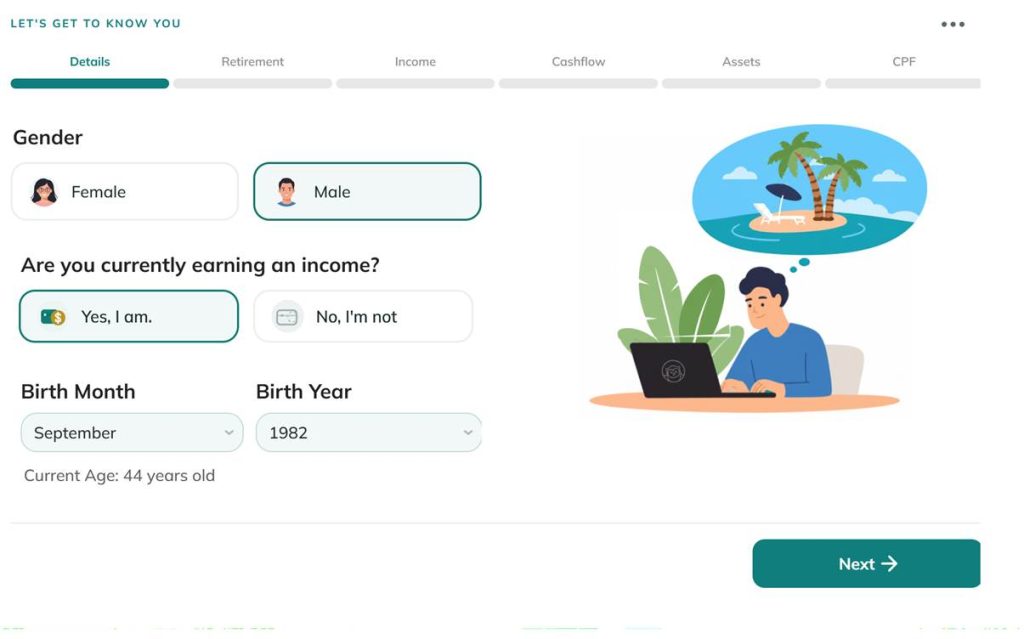
The first step is to obtain your age and gender. This is crucial information because CPF LIFE payouts are differentiated by gender, and so it will affect the calculations. Naturally, you will not be given the opportunity to change any of these answers later.
#2 Set The Age You Would Like To Retire At, And Your Expected Retirement Expenditure
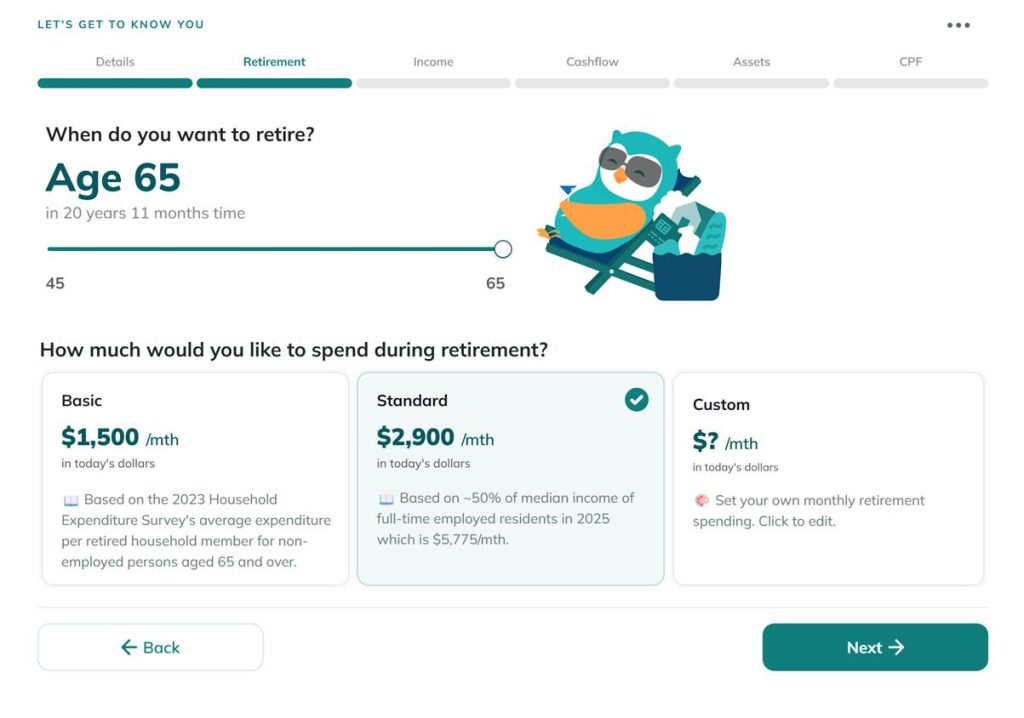
The second step is where the information can be tweaked later in the Planner, so just pick whatever value works best for you initially. Note that the Planner does not currently allow you to retire beyond the age of 65. Also note that the retirement spending amount is based in today’s dollars. The Planner will factor in inflation during the calculations.
#3 Indicate Your Gross Income
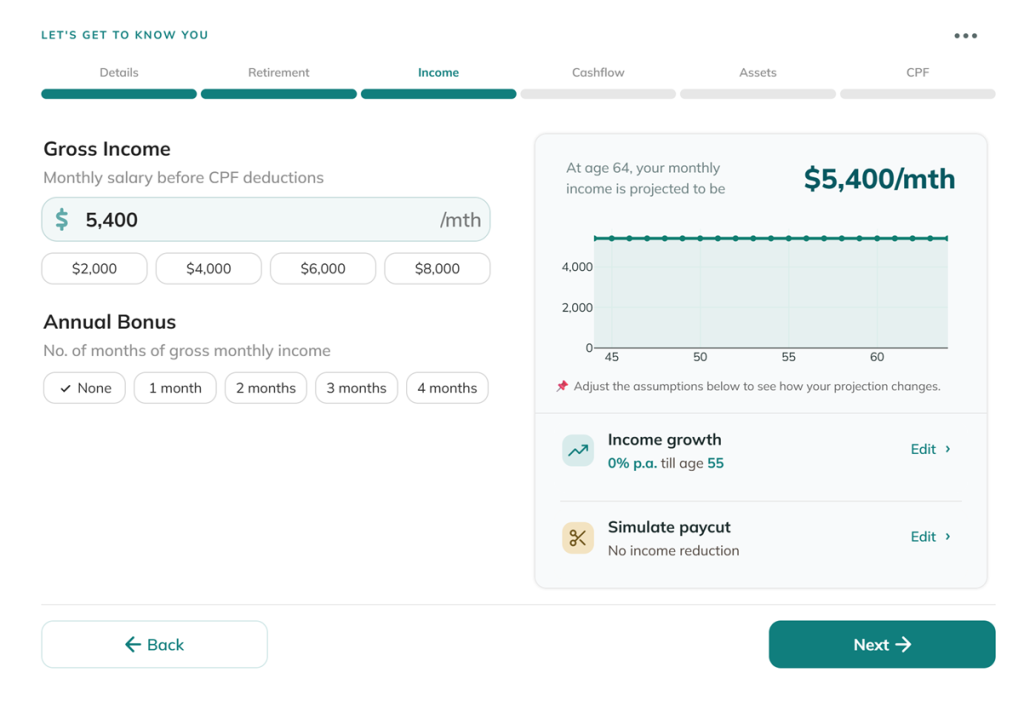
Again, these values can be edited later in the Planner, so just indicate whatever works for you initially. I appreciated that the Planner lets you indicate whether you expect your income to rise over time, as well as whether you expect a future reduction in salary. For example, you may intend to take a sabbatical or go for further studies.
#4 Indicate How Your Take-Home Pay Is Allocated
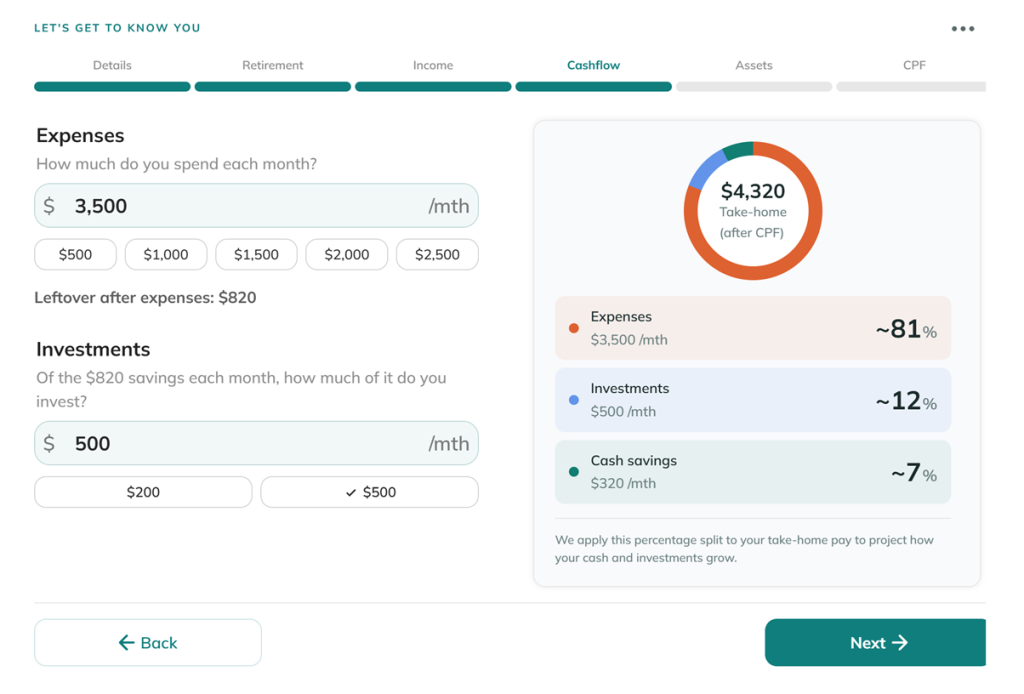
After determining your income, you indicate your current expenditure and investments. The calculator will assume these proportions even as your income increases over time.
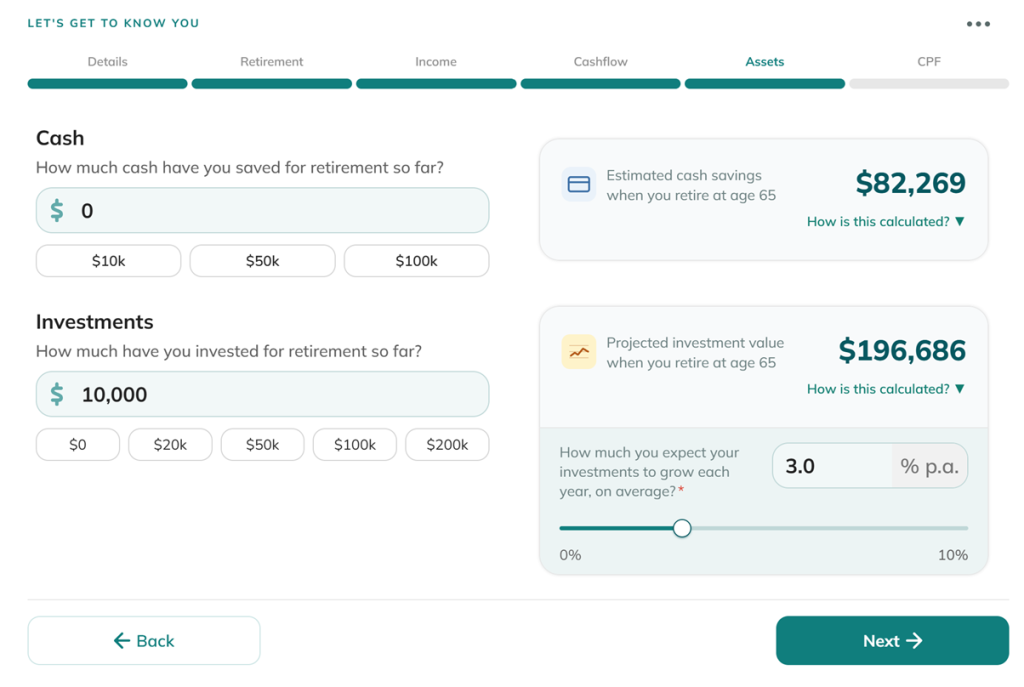
#5 Indicate Your Current Assets
This fifth section, like most of the others, is pretty self-explanatory. I appreciated that you can indicate your expected investment returns, since everyone’s risk appetites are different.
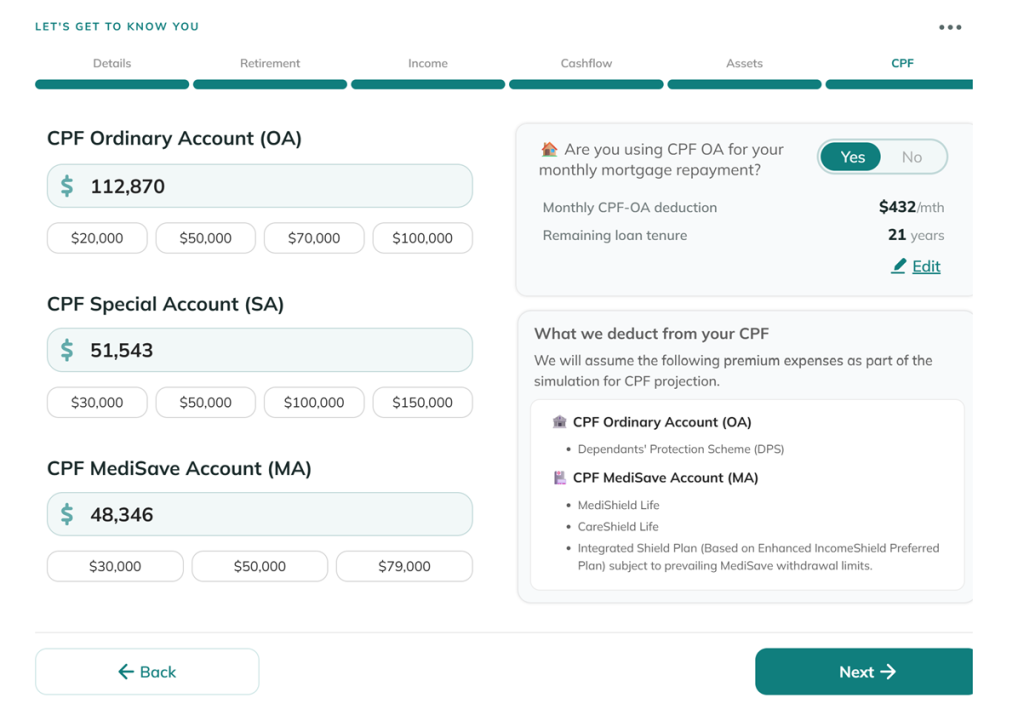
#6 Finally, And Arguably The Most Important Step, Filling In Your CPF Amounts
What makes the OwlRetirement Planner so effective for Singaporeans is how it factors in your CPF contributions and forecasts your CPF LIFE payout as accurately as possible.
Read Also: BRS, FRS, ERS: Why There Are 3 CPF Retirement Sums & Why They Increase Every Year
#7 Get Your Results Within Seconds
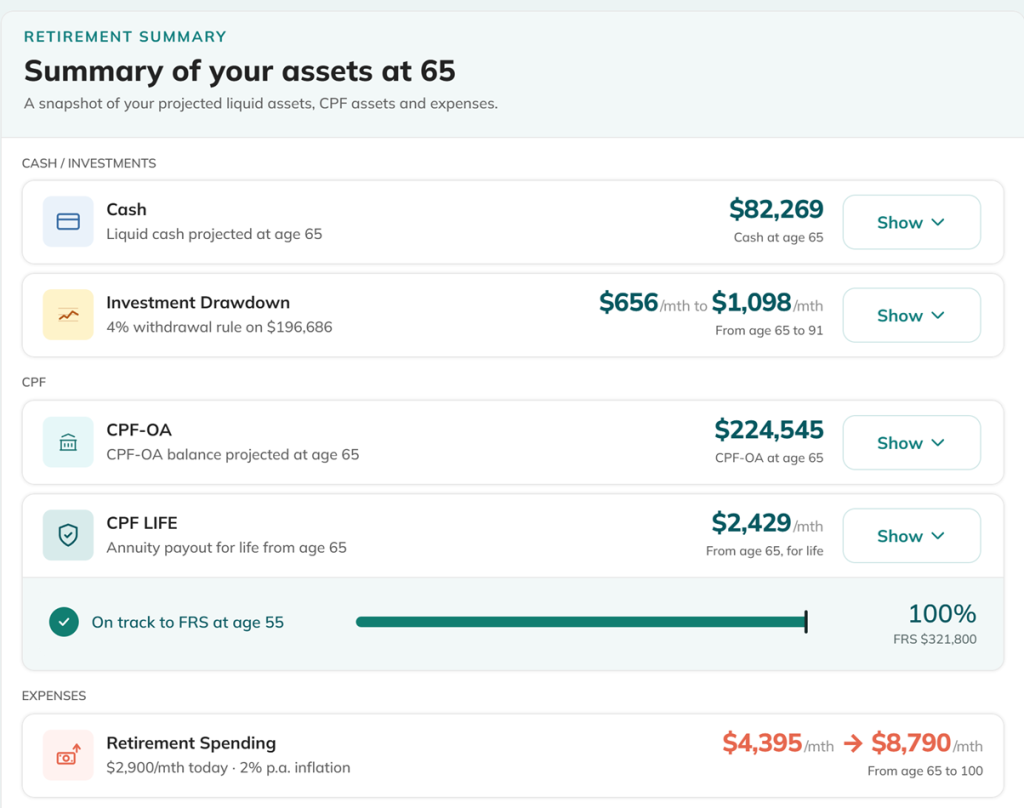
Note the key assumptions for these calculations.

#8 Here’s Where The Real Magic Happens
Numbers can help you visualise up to a point, but where the OwlRetirement Planner really shines is the chart of your retirement cashflow that it generates.
You can opt for a step by step walkthrough of the tool, or choose to go straight to the cashflow chart.
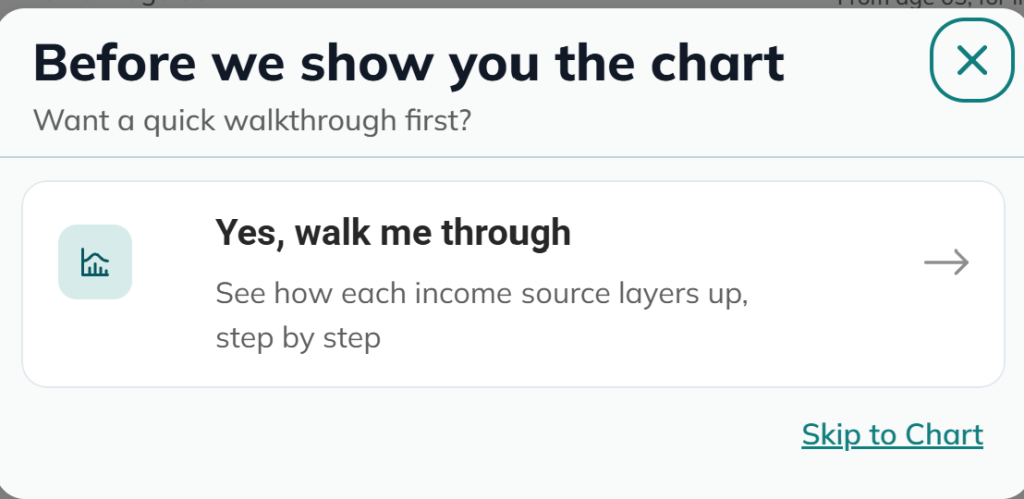
For purposes of this article, let’s go through step by step.
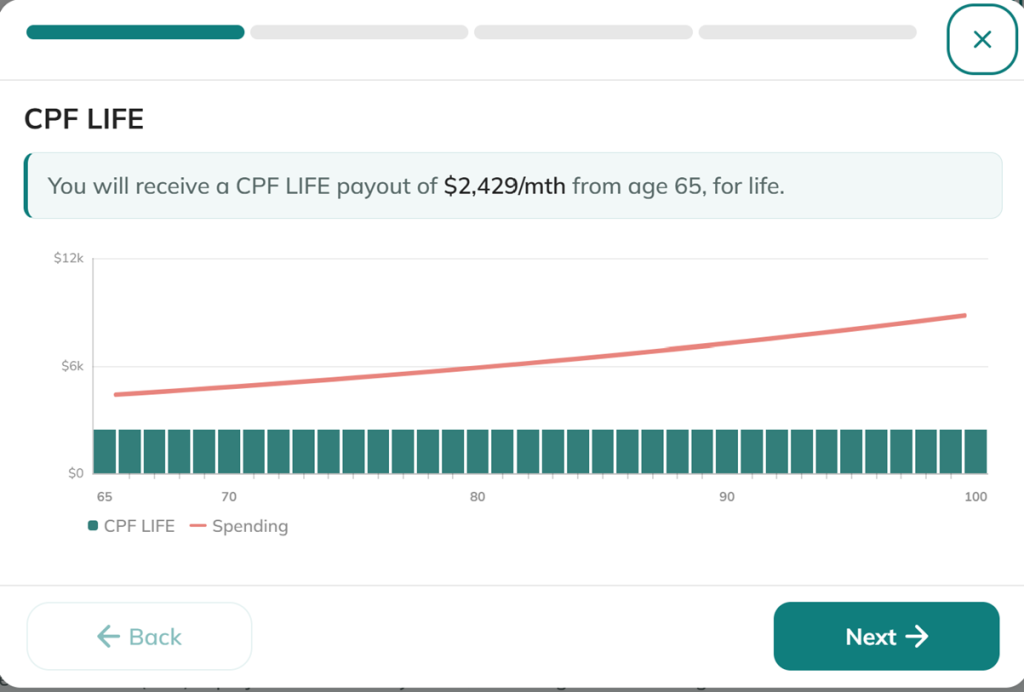
The first layer is CPF LIFE.
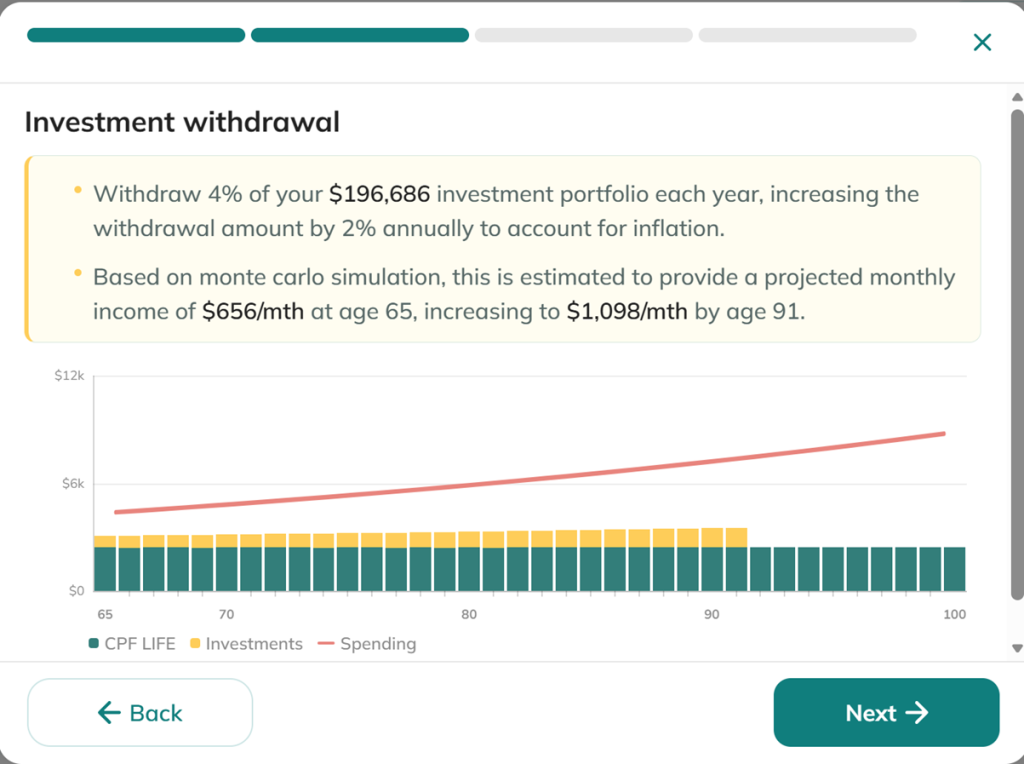
The second layer is investment drawdown.
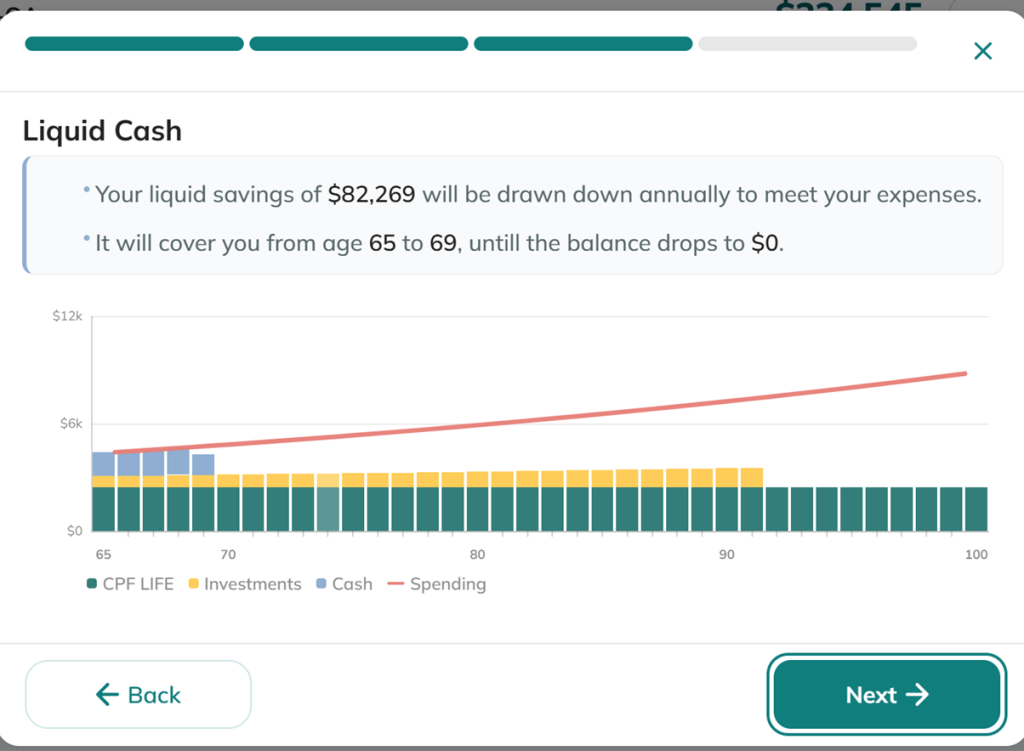
The third layer is cash on hand.
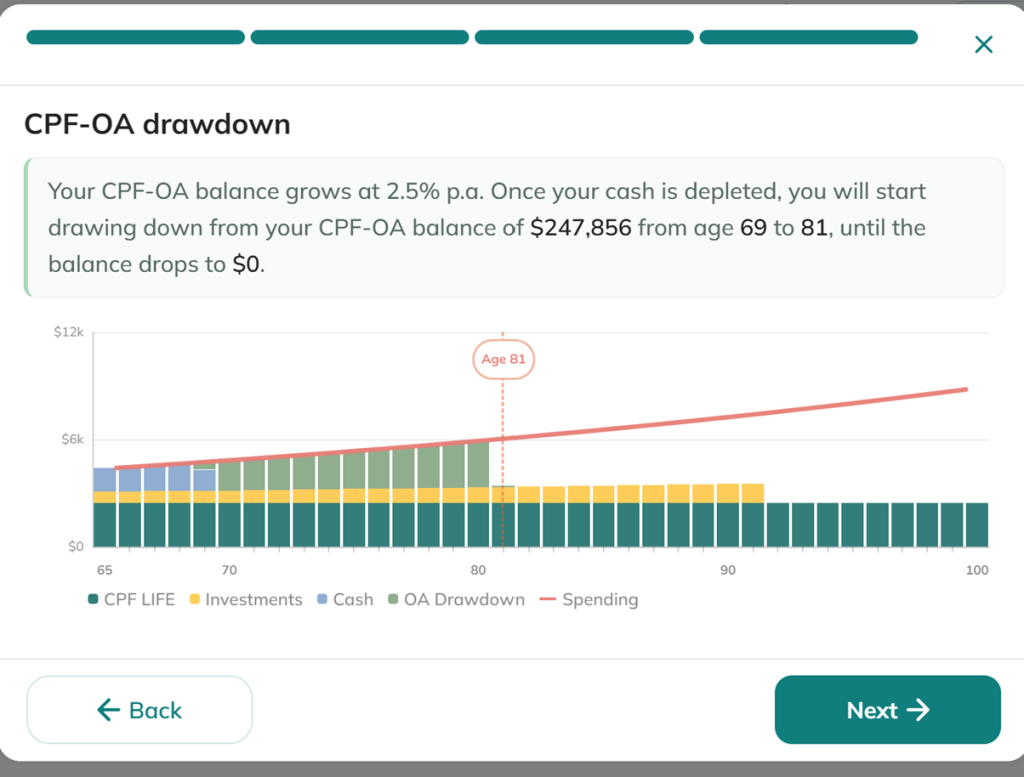
And finally, the CPF-OA drawdown
After going through each step, you will reach the final page, which is the retirement cashflow chart. Here’s what mine looks like:
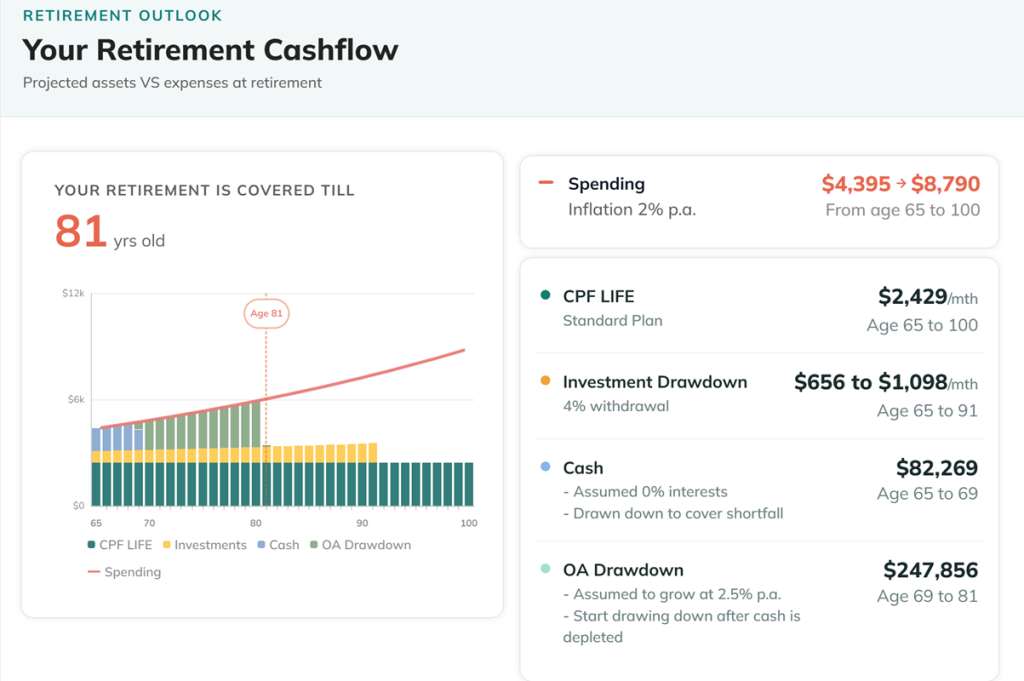
It shows the four layers of retirement income I can look forward to, with the red line showing the spending amount I indicated at the start of the process, now adjusted for an average inflation rate of 2% per year.
The fact that most of my retirement income sources will be depleted by age 81 is sobering, but fortunately, this isn’t the end of the Planner’s functions.
#9 Answering The Big Question – Now What?
Expect to spend quite a bit of time on this last page of the OwlRetirement Planner. This is where you can finally tweak some of the information you provided earlier in the process.
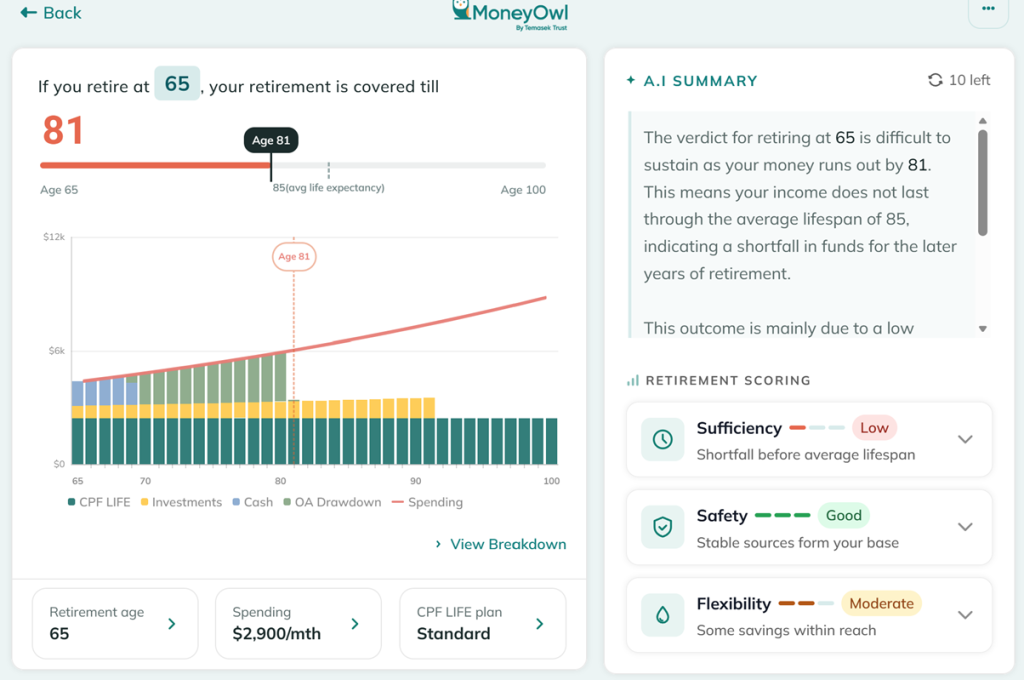
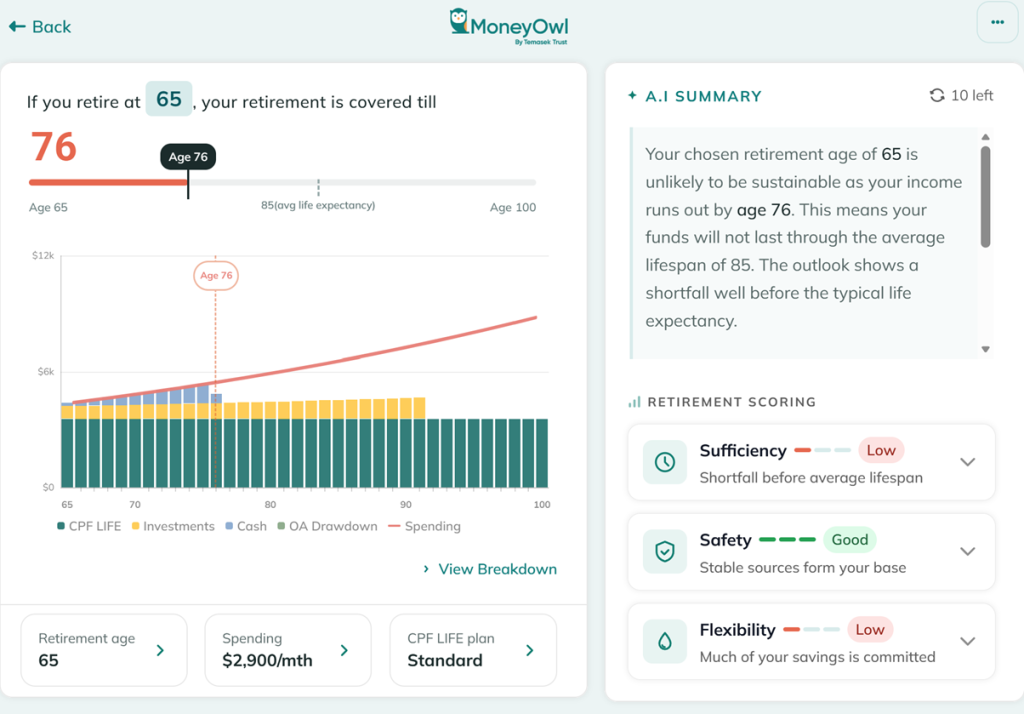
Before tweaking the values, let me just go through the side panel first. An AI-generated summary of the chart uses MoneyOwl’s proprietary “Sufficiency, Safety and Flexibility” framework as a gauge.
Put simply, the ideal is to get at least a moderate score for each of these factors. Sufficiency looks at whether your retirement income sources are enough to meet your retirement spending needs; safety looks at how stable and reliable your income sources are; while flexibility looks at how liquid and easily accessible they are in case of emergencies.
In my case, sufficiency is the lowest-scoring factor, simply because my expenses outpace my income. The silver lining is that my income comes from stable sources, such as CPF LIFE, and has some flexibility, either in liquid cash or in my CPF-OA.
With this summary in mind, it’s time for the final piece of the puzzle – what actions can I take now and at the point of retirement to change this outcome?
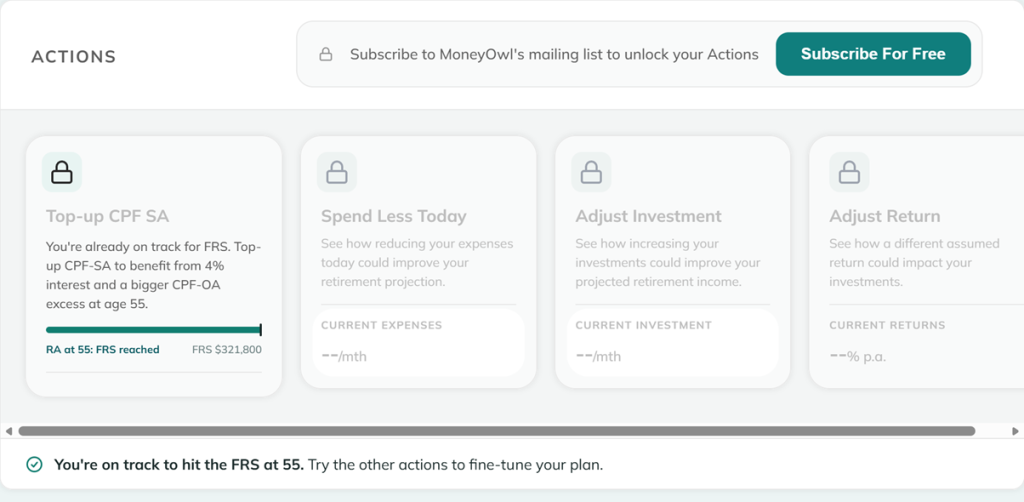
You can unlock these actions by subscribing to MoneyOwn’s mailing list, but even if you don’t, you’ll get to see some actions you can take today, such as topping up your CPF Special Account, spending less today, adjusting your investment amount, or adjusting your expected return by investing in other assets.
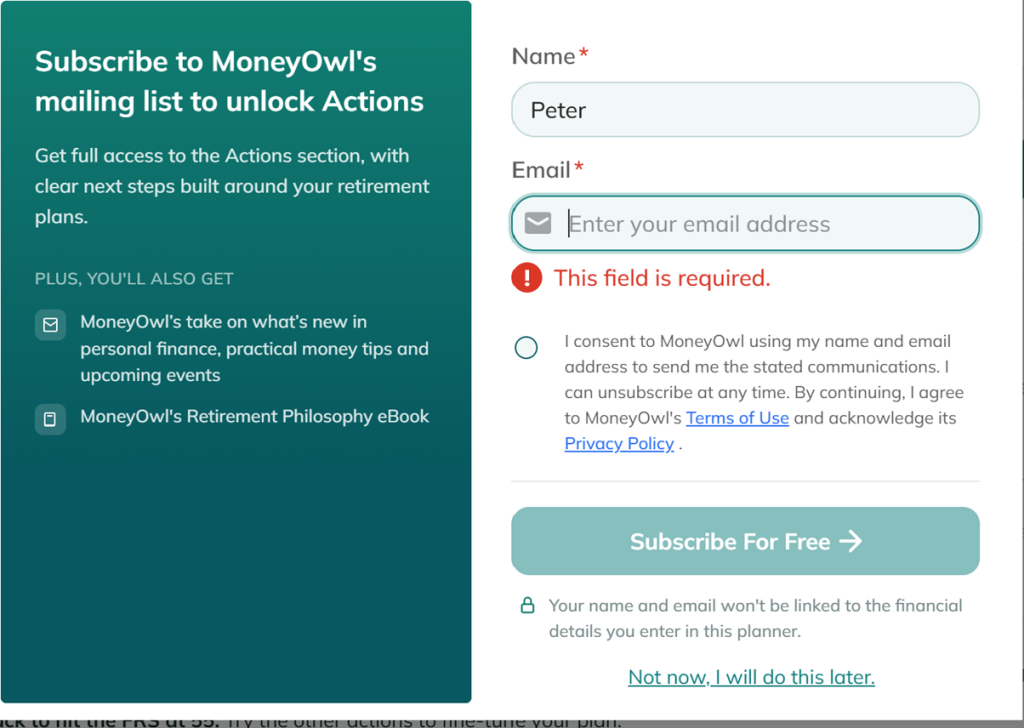
Note that your name and email will not be linked to the financial details you enter in the planner. In fact, MoneyOwl has stated that it will not save any financial information provided in its systems.
Signing up for MoneyOwl’s mailing list unlocks the actions you can take today, as well as the actions you can take upon retirement.
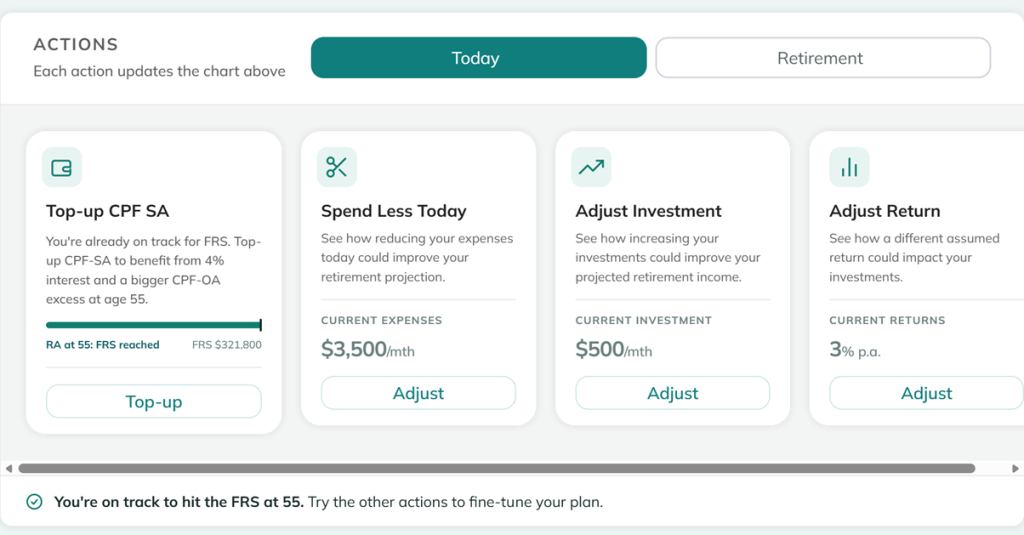
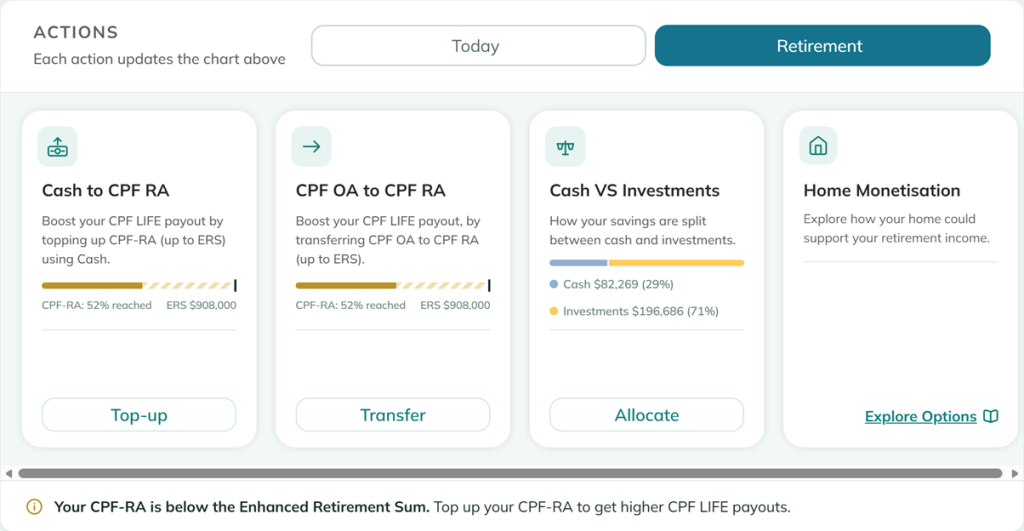
For example, I wanted to see what would happen if I transferred all my CPF OA funds into my Retirement Account at age 65. On the surface, it makes sense to boost my CPF LIFE payout by using the funds still in my OA. Keeping everything else untouched, the Planner automatically updates the chart based on my new action.
Ironically, it tells me that while I do receive more from CPF LIFE as a result, I will run out of retirement income 5 years earlier, at the age of 76.
The OwlRetirement Planner Is Limited, But It Starts A Conversation
Ultimately, MoneyOwl’s OwlRetirement Planner isn’t going to give you the full picture. In its product notes, they acknowledge the tool’s shortcomings. For example, it works only for people between 19 and 64 years old and simplifies the model by factoring in only employment income. It does not consider rental income, business income or even whether you buy or sell additional property.
To keep things simple for most users, it also fixes the values for inflation rate, CPF interest rates, and even the market simulation setting that determines how your investments grow. This lack of flexibility means the results you get may skew a little conservatively, with no opportunity for the user to decide otherwise.
MoneyOwl’s tool is only meant for general information and education, and does not constitute financial advice or investment advice, as it does not consider your full financial situation, objectives, or needs. The Planner creates an opportunity to speak with a professional about several important financial decisions, with more awareness of your what your retirement goals might be.


Lifestyle
15 Of The Cheapest EV Cars In Singapore


Budgeting 101
7 Ways Being Frugal Is Different From Being Cheap


Street Smart
Singapore Gym Membership Price Guide (2026 Edition)


Street Smart
Singapore Gym Membership Price Guide (2026 Edition)

Bonds and Fixed Income
Complete Guide To Buying Singapore Savings Bonds (SSB) [2026 Edition]


